Transcode your clips with PlumePack
PlumePack V3 introduces the Transcode capability, to transcode all your clips to your desired Codec
Why You Should Upgrade from PlumePack V2
PlumePack V2 doesn't support Premiere 2026. Why you should upgrade, V2's limitations, and where to get the final release
What's new in PlumePack 3.0
PlumePack V3 brings transcoding, presets, a processing queue and more - all ready for your next-level Premiere workflows !
PlumePack 3.0 - New Licenses and Upgrades
PlumePack V3: new Pro & Unlimited licenses, upgrade paths, and a reworked FREE version with Trim & Transcode
How to Use Presets in PlumePack 3.0
Save and reuse your favorite PlumePack configurations with the new Preset system!
How to Use the PlumePack Queue to Batch Multiple Consolidations
You can now queue several PlumePack processes and let them run automatically!
What's next for PlumePack ?
Let's revisit the milestones of PlumePack's journey so far and explore our aspirations for the future
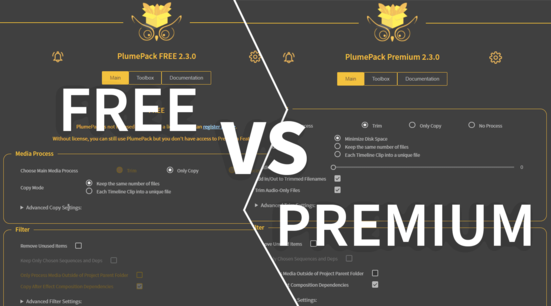
PlumePack FREE vs PREMIUM License
Find out the differences between the PlumePack Free and Premium versions
PlumePack your Project with Proxies
How you can use PlumePack if you are working with Proxies in your project !
How to Reorder Tracks in Adobe Premiere Pro
You can now Reorder Tracks in Premiere Pro !
How to UnMerge Merged Clips in Adobe Premiere Pro
You can now UnMerge Merged Clips in Premiere Pro !
What's new in PlumePack 2.0
We worked hard to release a ton of new features in PlumePack 2.0 and they are available now !
How to Losslessly Trim a Video Without Encoding
Tutorial for tools to quickly trim your video files without spending time re-encoding them
How to archive a Premiere Pro Project
Which Archive Tool you should use, what you need to check manually and the best way to do it
Losslessly Trim a Video Without Encoding
Find out what a Lossless Video Trim is, how it differs from Re-encoding, and when to use each
Use PlumePack for FREE !
PlumePack has a Free version, a bug-free alternative to the Project Manager. Learn about our Change of Policy and what it offers
PlumePack's Limitations and Known Issues
Details about all PlumePack's limitations and Known Issues we are aware of
How to use Premiere Pro Project Manager
Full tutorial on how to use the Project Manager in Premiere Pro
PlumePack VS Premiere Pro Project Manager
Premiere Pro's native Project Manager vs PlumePack: the differences, so you can choose what's best for you
vcruntime140.dll was not found : How To Install VCRedist to use our plugins
You need to install the Visual C++ Redistributable from Microsoft to use our plugins and other Windows applications
How to Lossless trim your AVC / H264 and HEVC / H265 files in Premiere Pro
You can now trim your AVC / H264 and HEVC / H265 files in Premiere Pro !
How to trim your Image Sequence in Adobe Premiere Pro
You can now trim your Image Sequence in Premiere Pro !
How to License PlumePack
Learn how to license PlumePack and unlock its Premium Features
How to report a bug in PlumePack?
Trouble with PlumePack ? Here's how to send us the logs we need to help and fix the bug
Introduction to PlumePack for Premiere Pro
What is the purpose of our plugin PlumePack and its features ? A tour of the Premiere Pro panel and how to use it
PlumePack Options Explained
What are the PlumePack options? Get all information detailed here!